 Community
 Video Library
 Agent Training
 Freshservice
 Freshdesk
 Freshchat
 Freshcaller
 Freshsales
 Freshteam
 Freshworks Neo
 Freshsurvey
Install Freshchat on your WordPress site
You can install Freshchat on your WordPress site with a few easy steps and start interacting with customers and leads.
1. Login to your WordPress account. Go to Plugins > Add New.

2. Search for Freshchat plugin > Install > Activate.

Now you can find the Freshchat plugin in your side panel.
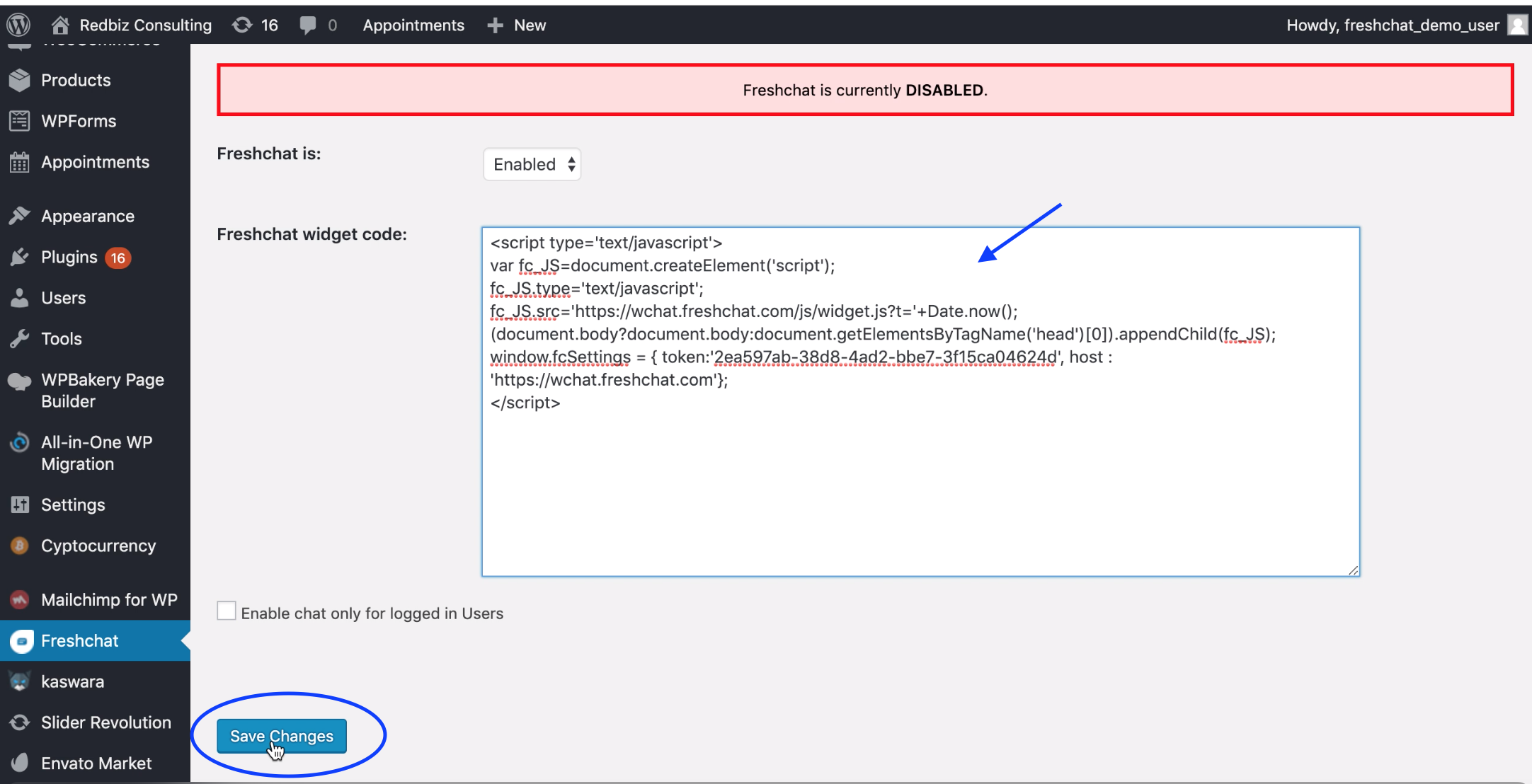
3. Click on Freshchat and select Enabled from the drop-down.

You can get your Freshchat code from here or you can find it in your Freshchat account by going to Admin > Integrations > WordPress.

4. Paste this code in WordPress and save changes.